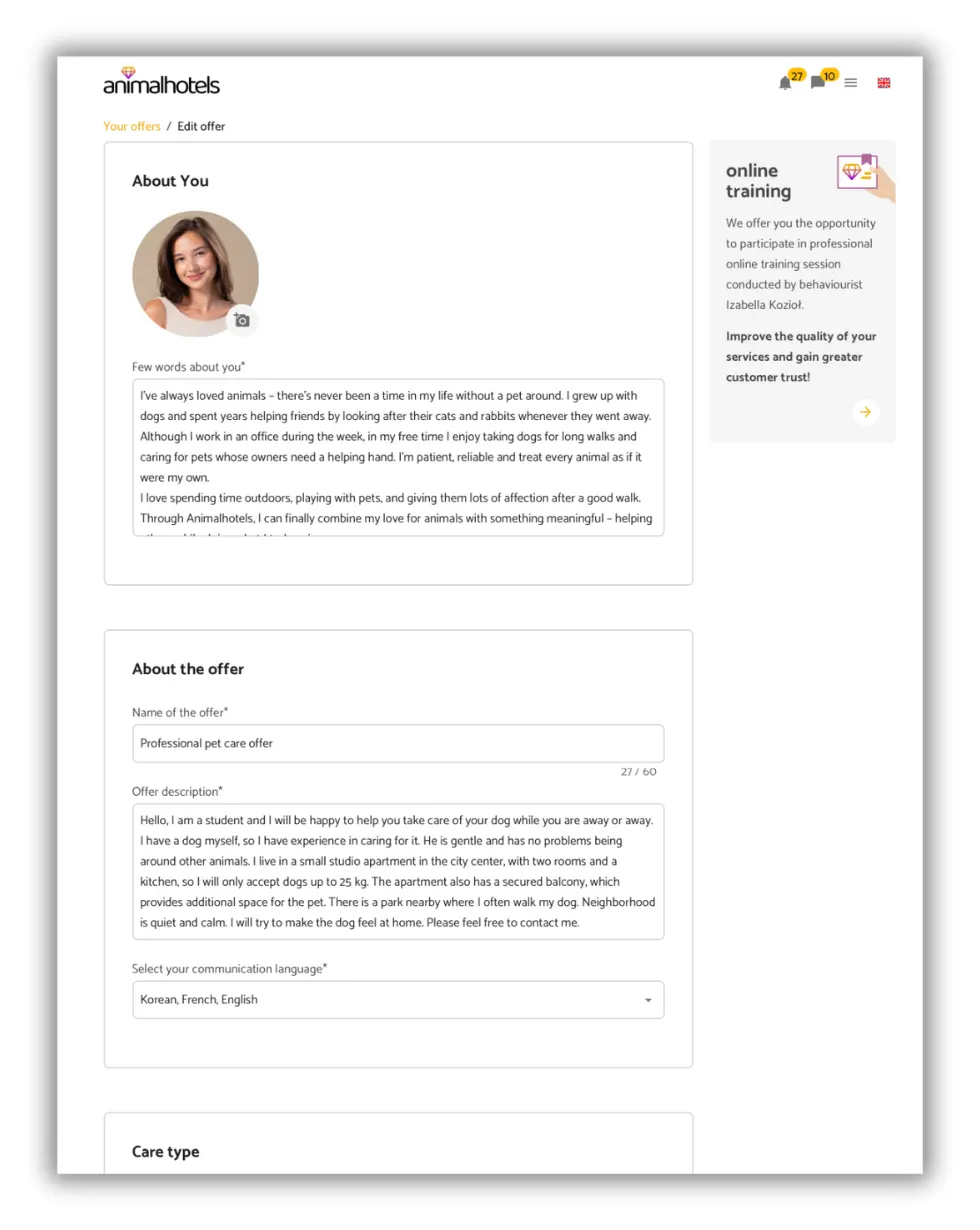
1. Profile section
a) Profile Picture - should feature either you or your hotel.
b) Profile Description - introduce yourself (who you are, what you do and whether you have any experience in pet care). If you are involved in animal behaviourism, veterinary medicine or any other animal science, highlight this! It's a great asset.
You can also edit this section on the dedicated “About You” page.
2. Offer section
First of all, strive to make your offer as attractive as possible.
a) Offer Name - should be appealing and reflect what you are offering.
b) Offer Description - this is the most important part, which should include the following information:
- Description of the place where the pets stay (have you got a garden, large flat, house, special play area, etc.)
- Description of the surroundings - are there any pet-friendly areas nearby (parks, gardens, forests, veterinarian, animal clinic)
- What you are able to offer - this can include all tasks related to pet care (bathing, administering medication, injections, long walks, playtime, training, behavioural therapy, etc.)
- Additionally, you can include any specific requirements you have (own toys, health book, own food, neutering, spaying, etc.)
c) Communication language - select the languages you can communicate in
3. Care type
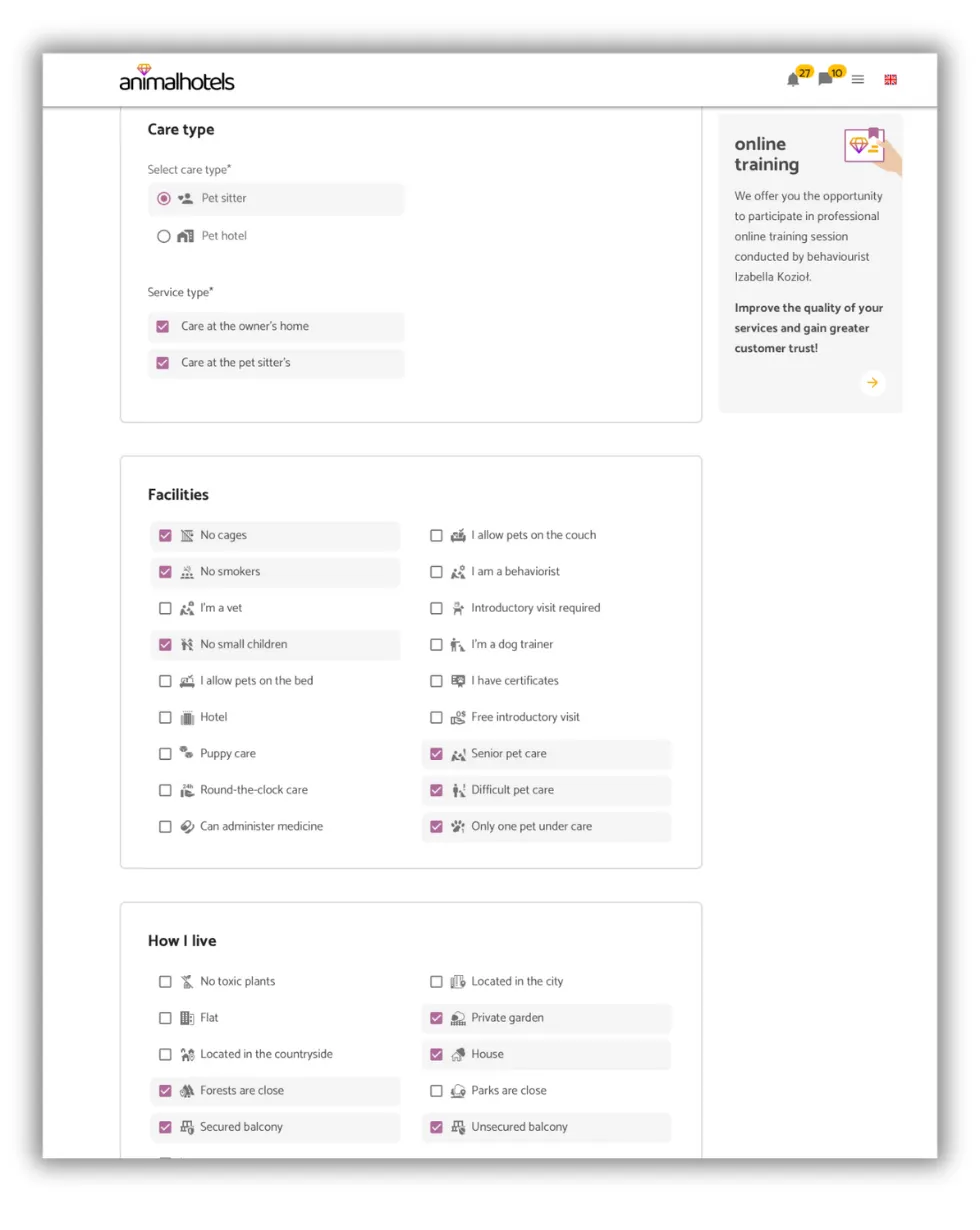
Here, select:
- the type of care you offer
- the services type you provide - you can choose more than one option
4. Facilities
The more facilities you add, the more attractive the offer. The minimum number of facilities is 7. If you have more, that's great! Show them off.
Remember to specify the type of care you are offering! A hotel is a registered business, a sitter is an individual.
5. How I live
The “How I live” section refers to the facilities, location, and living conditions you offer. The more details you include, the more appealing your profile becomes.
Do you provide services at the pet owner’s home? You can skip this step 😉
6. Who do I live with?
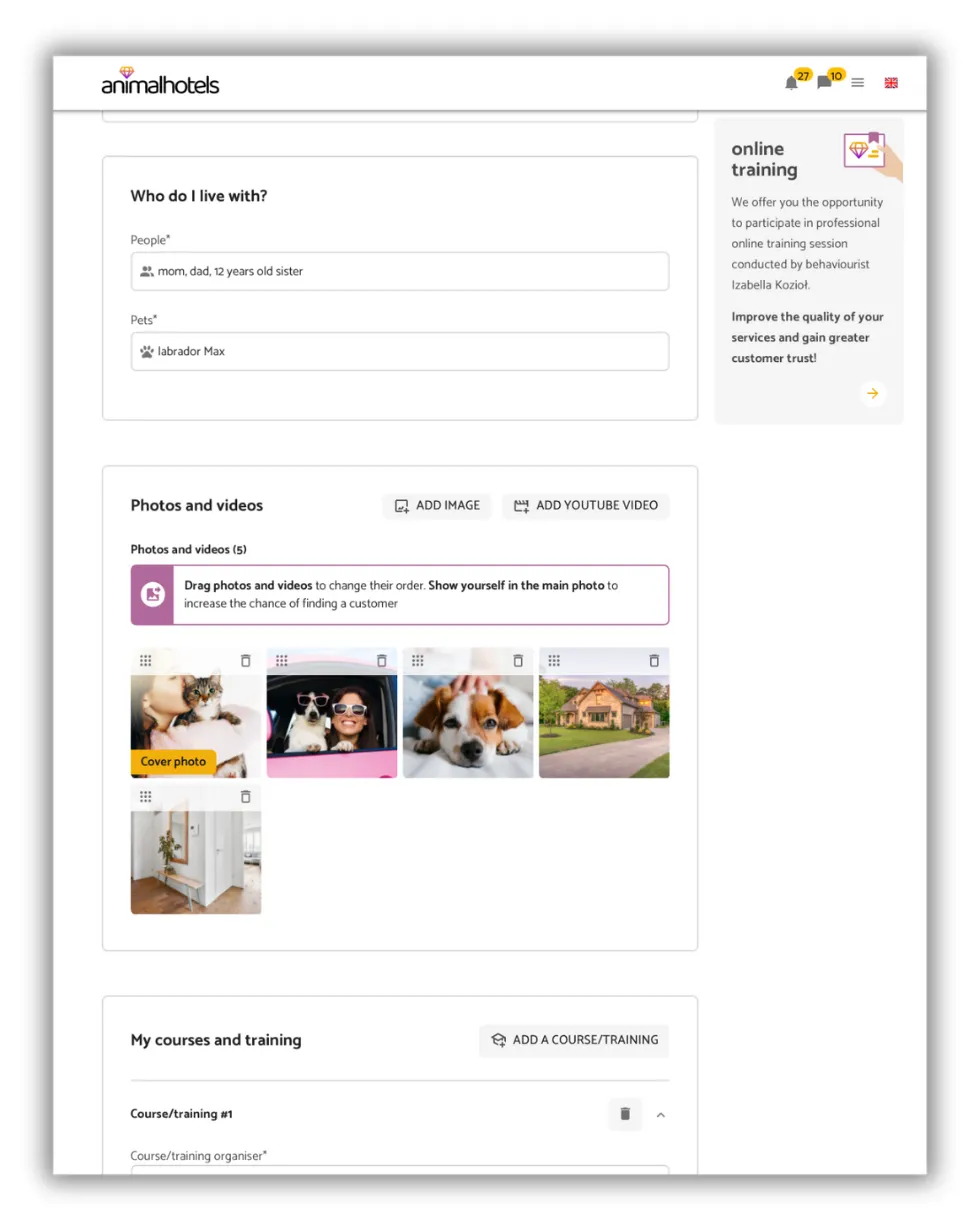
List the people you live with (especially children and their ages) as well as any pets that share your home. Do you live alone and have no pets? Simply write “none”.
Why is this information important? Some pets may not get along well with other animals or young children. By sharing these details, owners can easily see whether your home is a good match for their pet when browsing your offer.
7. Photos and Videos
The minimum number of photos is 3. They should show the care location, surroundings and you with a pet. The more photos you upload, the more attractive your offer becomes. Make sure the photos are clear. Low-quality photos can negatively impact your offer.
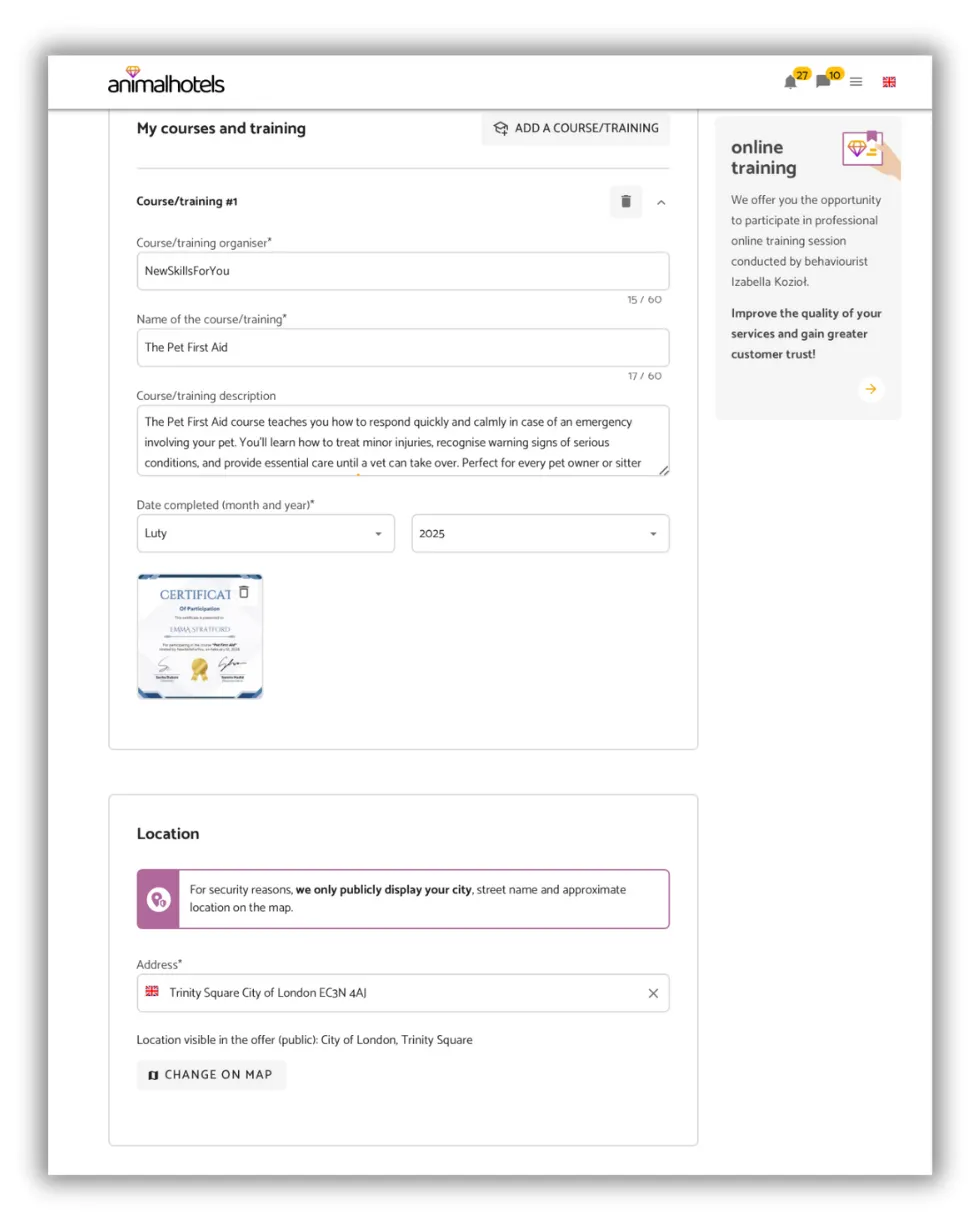
8. My courses and training
This section allows the Petsitter to add information about completed courses, training, and certificates related to animal care. This makes the profile more trustworthy and helps pet owners feel more confident in the Petsitter’s skills.
Don't you have any training/courses under your belt yet? Contact Animalhotels and take advantage of their educational offerings! 🎓
9. Location
Provide a close approximation of the location of the facility. Remember that pet owners want the sitter or hotel to be as close to them as possible.
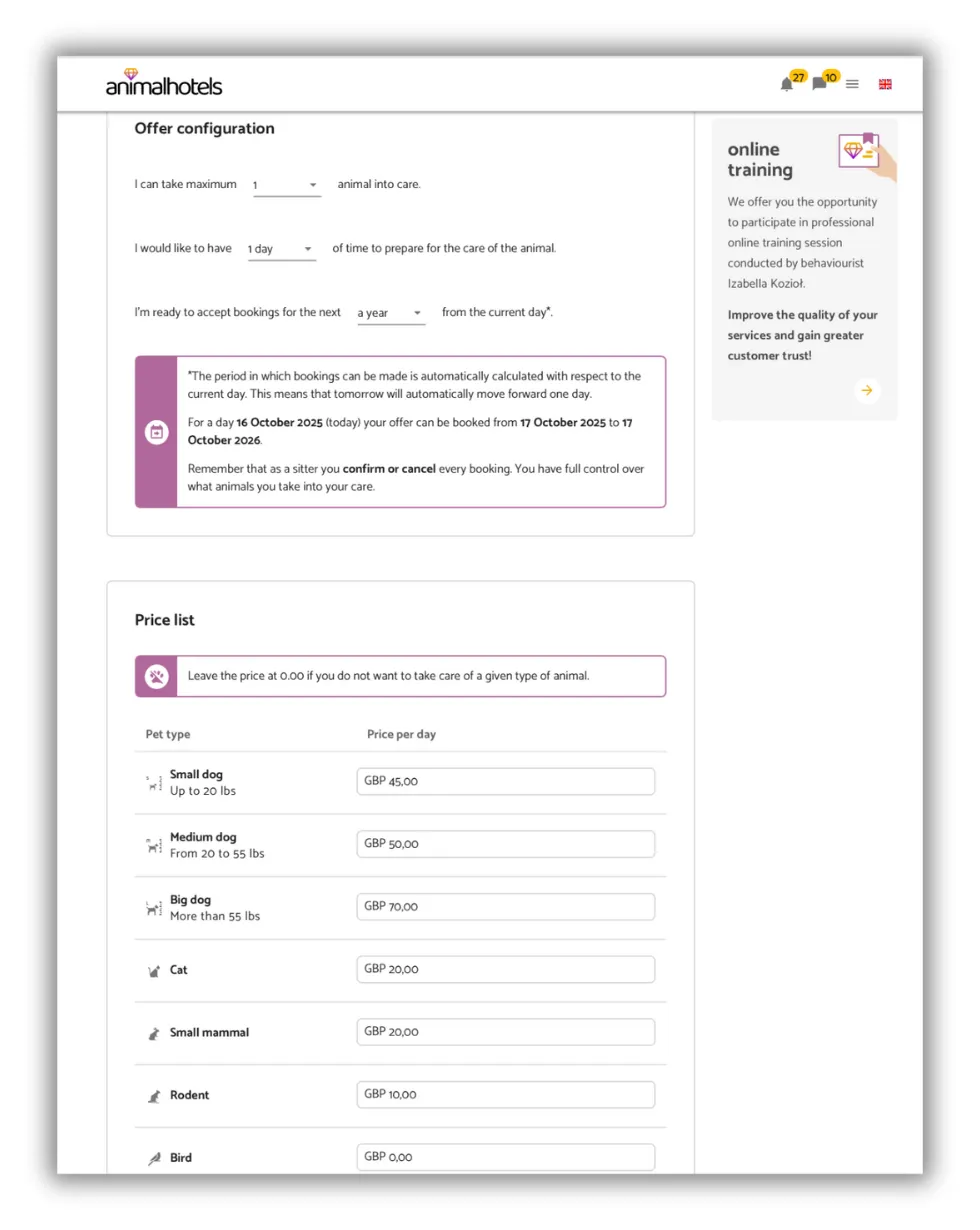
10. Offer Configuration
In this part, you need to consider your availability (whether you know your availability in six months) and the space you have (a large number of animals in one place at the same time might be challenging for you).
11. Pricing
Enter prices for the types of animals you want to take care of. Leave the price at 0.00 if you do not want to provide care for a particular type of animal.
(the provided amounts are example prices; enter the amounts you want to earn and that you find satisfactory)
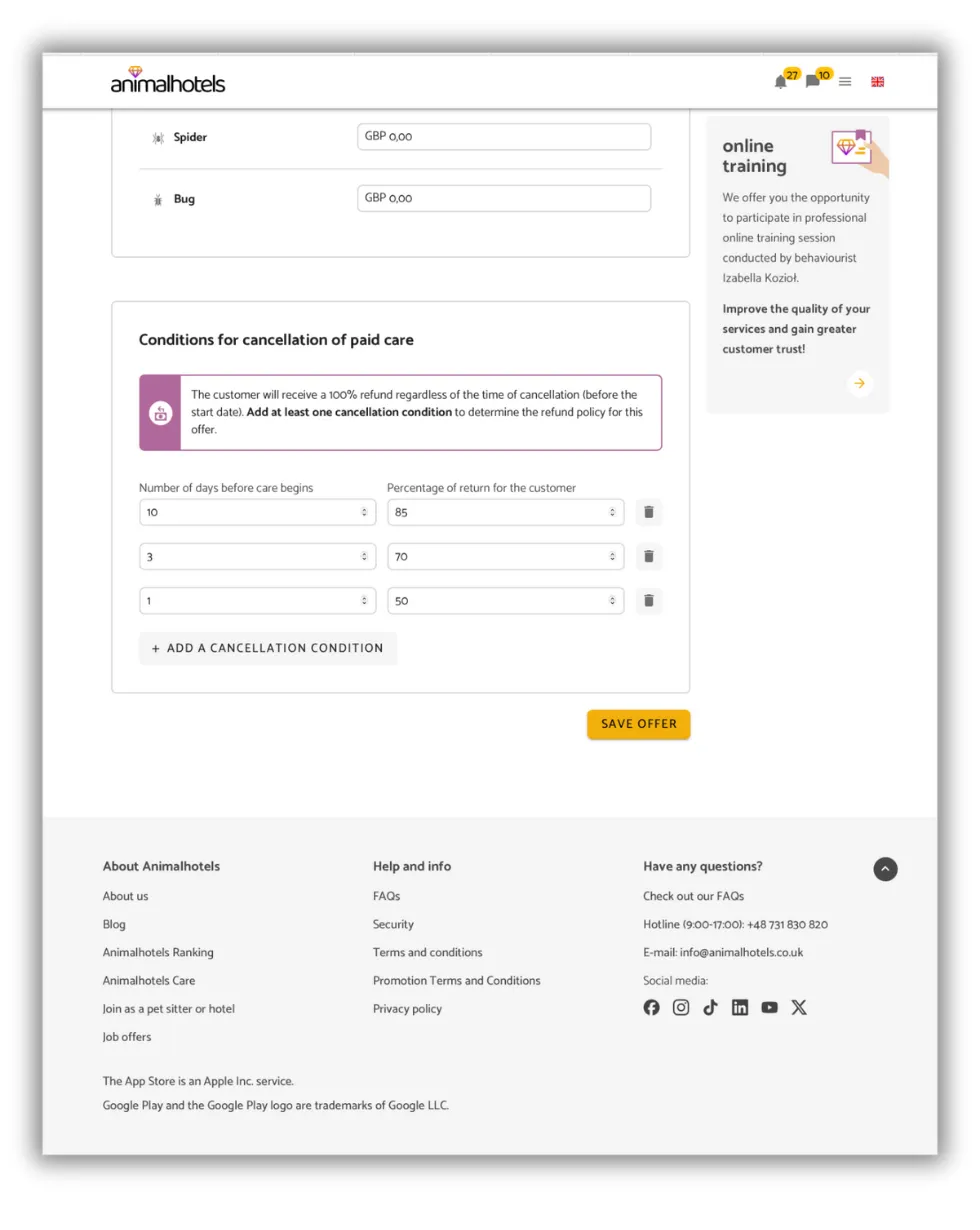
12. Cancellation Terms
Cancellation terms are an optional but incredibly useful part of your offer. They ensure that pet owners are immediately aware of the rules while making a booking, particularly if they need to cancel.
By setting clear cancellation terms, you can protect yourself financially – even if a customer cancels at the last minute, such as a day before the care begins, you may still receive part or all of the payment. However, if no terms are specified, the system will automatically refund 100% of the paid amount to the customer.
Think carefully about how strict your cancellation terms should be to suit your needs and offer - it can make a big difference! 😉
ADDITIONAL INFORMATION FOR YOUR CARE DESCRIPTION
Besides the information mentioned above, you can also answer the following questions and include the answers in your profile:
- Do you have a driver's license, and if needed, can you transport the pet?
- Do you require the owner to provide food for their pet?
- Are you able to take care of a sick, elderly animal or a puppy?
- Will you accept female pets in heat and cats in oestrus?
- Will you accept pets with separation anxiety?
- Will you accept unneutered or unspayed pets?
- Do you exclude breeds considered aggressive?
- If you have your own pet, what is it like?
- Do you require specific vaccinations (against rabies, parvovirus, feline distemper, etc.)?
- Do you require the pet to be protected against ticks and fleas?
The more information you include in your offer, the fewer messages, calls, and unnecessary questions you receive from pet owners!
IMPORTANT! WHY REGISTER WITH OUR PAYMENT OPERATOR STRIPE?
Stripe is an international company that operates as a global e-payment operator. It is responsible for the verification and activation of accounts on the animalhotels website. Sometimes, though not always, additional identity verification may be required. In such cases, Stripe may ask you for a scan of your ID card or another document to confirm your details.
The system automatically fills in some data for you but you will need to enter a few important details manually (bank account number, phone number, etc.).
To view your Stripe account, log in at https://connect.stripe.com/express_login using your email address and the code sent to the phone number connected to your account.

Remember that animalhotels and Stripe will never ask you for passwords or PINs! If someone asks you for this information, immediately notify the Police or the animalhotels team!
OTHER COMPLICATED ISSUES EXPLAINED
- Select "other services for the public" from the drop-down list or enter it manually.
- In the next window, you can paste a link to your offer (which you can retrieve from the offer preview available in your panel under the "care offers" tab) or add a description of what you offer (e.g. care service).
_Note: The term "company" in this context does not mean a registered business. Stripe uses this term to describe any income-generating activity. Learn more:_ _https://stripe.com/en-pl/ssa_.
JOIN OUR FACEBOOK GROUP FOR SITTERS
We are creating a tool for you that allows you to do what you love and earn money at the same time. We are growing and aiming to be the best platform of this type in the world 😎 Do you want to have an impact and help us improve the animalhotels platform? Let’s get to work! Join our FB group and help us create a tool that makes earning money through pet care safe and profitable. Let’s get to know each other, talk, solve problems and build animalhotels together 💪